Website Maintenance, Updates, Backups, and More

The Web Server cPanel
This set of tasks completes the process of having a web presence. Here's a listing of just the highlights of cPanel features of our hosting service:
- Email configuration- setup accounts, webmail setup, spam filtering configuration, email forwarding, and Google Apps setup.
- File Management- ftp file manager, disk space usage monitoring.
- Restore Vault- access twice daily backups and restore.
- Awstats- monitor reports on visitors, where they come from, what pages they viewed, how long they stayed, and what pages they entered from.
- Security- password protect directories and more.
- Databases- create and manage MySQL and Postres databases.
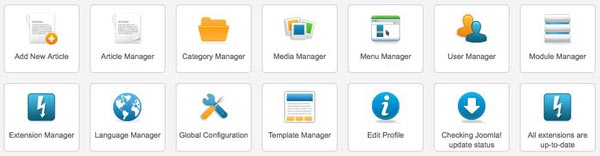
The CMS Administrative Panel
The administrative panel of each of the CMS's is different. PIctured above is the Joomla! control panal. Here's the main features that they all share:
- Backup- each has their own system for backup and restore. This is usually a third party plug-in and is not shown in the icon panel above.
- User Manager- create new users and assign them privileges to access areas of the admin section and to perform specific operations.
- Article Manager- if the user has the privileges they can create, approve, and/or publish new content.
- CMS Updaing- one click updating of the platform software.
- Extension Updaing- easily update any third party extensions added to your website.